Windows 11 Pro vs Home: Complete Guide 2026

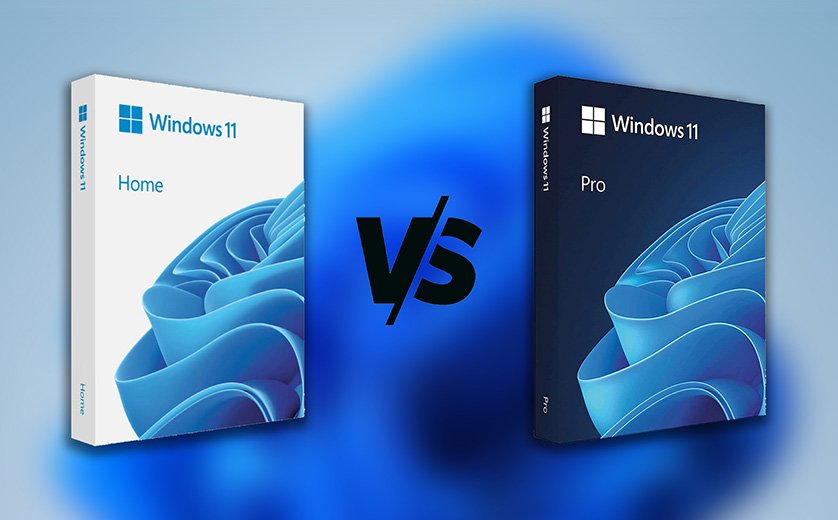
Windows 11 Pro vs Home: Complete Buyer’s Guide for 2026
Confused about which Windows 11 edition to buy? This guide compares features, security, and real use cases— so you choose the right license for your PC without wasting money.
- Instant digital delivery
- Activation support included
- Secure checkout
Choosing between Windows 11 Pro vs Home in 2026 looks simple—until you hit a feature you didn’t know you needed. Both editions run the same apps and feel similar day-to-day. The difference is that Windows 11 Pro adds business-grade tools like BitLocker encryption, Remote Desktop hosting, and management controls.
To double-check any feature you care about, you can compare Windows editions using official Microsoft resources like Windows on Microsoft.com. In this buyer’s guide, you’ll get a clear answer based on your needs (gaming, school, remote work, business, or IT). You’ll also learn the fastest way to upgrade from Home to Pro without reinstalling Windows.
Quick Comparison: Windows 11 Pro vs Home (2026)
If you want the fastest answer: Windows 11 Home is the best value for most users. Choose Windows 11 Pro if you need encryption, remote access, or business device management.
| Feature | Windows 11 Home | Windows 11 Pro | Why it matters |
|---|---|---|---|
| BitLocker drive encryption | ✗ | ✓ | Protects your data if a laptop is lost or stolen. |
| Remote Desktop (Host) | ✗ | ✓ | Lets you connect to your PC remotely like you’re at the desk. |
| Group Policy | ✗ | ✓ | Advanced control for updates, security, and settings. |
| Domain / Azure AD Join | ✗ | ✓ | Needed for many business/workplace setups. |
| Hyper-V virtualization | ✗ | ✓ | Run virtual machines for testing, IT, or dev work. |
| Gaming features | ✓ | ✓ | No major gaming advantage on Pro for most users. |
Windows 11 Home: Best for Most People
Windows 11 Home is built for everyday users. It’s perfect for browsing, school, streaming, office tasks, and gaming. You get modern security basics, smooth updates, and the same Windows 11 interface.
Who should buy Windows 11 Home?
- Students and home users
- Gamers and casual creators
- Anyone who doesn’t need business IT features
- People who want the best value
Windows 11 Home for gaming
Many people think Pro is “faster.” In real life, your FPS depends on your CPU/GPU/SSD—not the edition. Windows 11 Home supports the same gaming features and drivers.
Windows 11 Pro: Best for Business, Remote Work & Power Users
Windows 11 Pro includes everything in Home plus business-grade features. If Windows is a tool for work—not just personal use—Pro can save time and reduce risk.
Top reasons people choose Windows 11 Pro
- BitLocker: full-disk encryption for better security
- Remote Desktop hosting: access your PC remotely
- Group Policy: better control and management
- Domain/Azure AD join: required in many workplaces
- Hyper-V: virtual machines for IT and development
Performance & Security: Is Pro Faster than Home?
Performance
For normal use (startup, browsing, gaming, Office apps), performance is very similar. Pro doesn’t “unlock extra speed.” It unlocks extra features.
Security
Home has strong baseline security. Pro adds better protection for professionals through encryption and management controls. For deeper technical details, see Microsoft’s guidance on device security on Microsoft Learn.
Real-world examples
- Student laptop: Home is enough
- Gaming PC: Home is the best value
- Freelancer: Pro for BitLocker + remote access
- Small business: Pro for management and security
- IT/dev: Pro for Hyper-V and policies
Upgrade Windows 11 Home to Pro (No Reinstall)
Yes, you can upgrade later. It’s one of the best strategies: start with Home, then upgrade when you truly need Pro features. If activation fails, Microsoft’s official troubleshooting steps can help: Microsoft Support.
Step-by-step upgrade (Home → Pro)
- Buy a genuine Windows 11 Pro key.
- Go to Settings → System → Activation.
- Click Change product key.
- Enter your Pro key and confirm.
- Restart if prompted. Pro features unlock after activation.
Which One Should You Buy in 2026? (Simple Decision Framework)
Use this quick test: if you answer “YES” to any of these, you should buy Pro.
- Do you need full-disk encryption (BitLocker)?
- Do you want Remote Desktop hosting?
- Will this PC join a company domain/Azure AD?
- Do you run virtual machines for work or testing?
- Do you manage multiple PCs and want better control?
• Home = best value for personal use & gaming
• Pro = best for business, security, remote work & power users
Trusted resources (official links)
Want to verify features or troubleshoot activation? Here are reputable sources (opens in a new tab):
FAQ: Windows 11 Pro vs Home (2026)
What is the main difference between Windows 11 Home and Pro?
Pro adds business/security features like BitLocker, Remote Desktop hosting, Group Policy, and domain join.
Is Windows 11 Pro faster than Home?
No major difference for normal use. Pro adds features, not speed.
Do I need Windows 11 Pro for gaming?
No. Windows 11 Home is great for gaming. Choose Pro only if you need Pro-only tools.
Can I upgrade from Windows 11 Home to Pro later?
Yes. Go to Settings → System → Activation → Change product key and enter a Pro key.
Where can I buy a Windows 11 key online?
You can get a Windows 11 license key online from trusted sellers. On ActivateSoftKeys you can choose: Windows 11 Home or Windows 11 Pro.
Choose the right edition and activate in minutes.