Office Home vs Business: Features & Buying Guide 2026

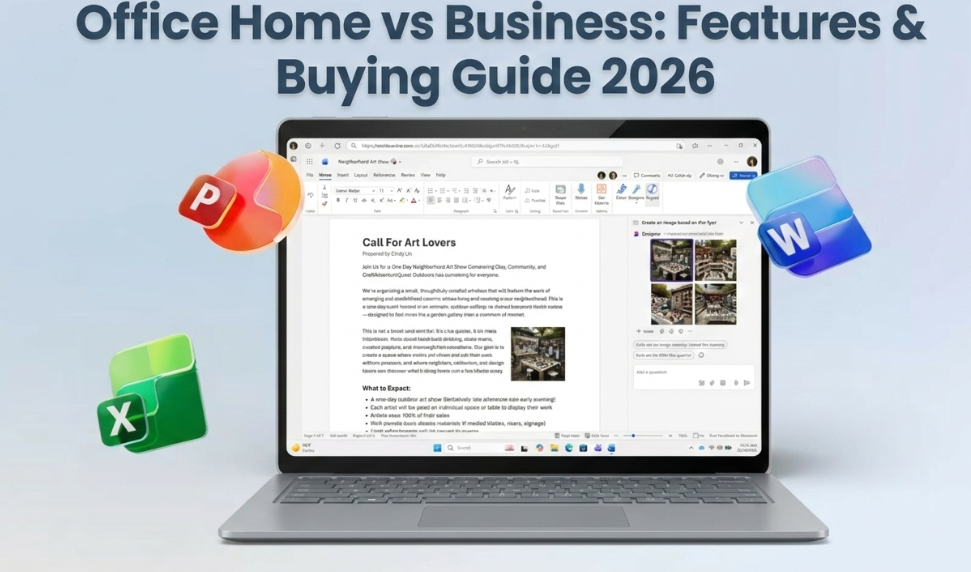
Microsoft Office Home vs Business: Feature Comparison (2026)
Office home vs business can look confusing because the names sound similar. This guide makes it simple—compare what’s included, who each license is for, and how to choose the best option.
- Instant digital delivery
- Activation support included
- Secure checkout
Buying Microsoft Office should feel easy. Yet many people get stuck on one question: office home vs business—what’s the real difference?
Here’s the short answer: “Home” editions are built for personal use and school work. “Business” editions are designed for professional use, and they often include tools like Outlook. The right choice depends on how you work, what apps you need, and whether you prefer a subscription or a one-time purchase.
In this guide, you’ll get a clear comparison, a simple decision framework, and quick tips to activate Office safely.
Quick Comparison: Office Home vs Business (2026)
Most buyers want the simple difference. This table gives you the fast answer. Then we’ll go deeper with real use cases.
| What you’re comparing | Home (Home & Student) | Business (Home & Business) | Why it matters |
|---|---|---|---|
| Main audience | Personal + students | Business + professionals | Helps you avoid paying for features you don’t need. |
| Core apps | Word, Excel, PowerPoint (often OneNote) | Word, Excel, PowerPoint + Outlook (common) | Outlook is the biggest “daily workflow” difference for many users. |
| Commercial use | Not typically positioned for business use | Designed for professional/business use | If you use Office for work, “Business” is usually safer. |
| Best for | Homework, home budget, personal projects | Email + calendar workflow, invoices, client files | Pick based on how you actually work each week. |
• Choose Home if you only need Word/Excel/PowerPoint for personal use.
• Choose Business if you need Outlook or you run work tasks on that PC.
Office “Home”: What It Means (Home & Student)
“Home” editions are built for everyday productivity. They cover the basics that most people use 90% of the time. Think essays, presentations, simple accounting, and personal projects.
Who should choose a Home edition?
- Students who need Word, Excel, and PowerPoint
- Families who want Office for homework and daily tasks
- Home users who do not need Outlook for work
- People who want the simplest setup and best value
What you usually get (and what you don’t)
- You usually get: Word, Excel, PowerPoint (often OneNote)
- You may not get: Outlook and business-oriented extras
Office “Business”: What It Means (Home & Business)
“Business” editions focus on professional workflows. The biggest reason people upgrade is simple: they want Outlook for email, calendar, and client communication.
Who should choose a Business edition?
- Freelancers who email clients daily
- Small businesses handling invoices and scheduling
- Remote workers who need a clean Outlook workflow
- Anyone who uses Office for commercial work
Typical advantages of “Business” Office
- Outlook workflow: email + calendar in one place
- Professional fit: better for work use cases
- Better long-term match: fewer reasons to “upgrade later”
Microsoft 365 vs One-Time Office: Which Model Fits You?
The “Home vs Business” question often hides a bigger decision: do you want a subscription (Microsoft 365) or a one-time purchase (perpetual Office)?
One-time purchase Office (perpetual license)
- Pay once, use it on one PC (based on the product license terms)
- Great if you hate recurring monthly payments
- Ideal for stable needs: Word/Excel/PowerPoint work that doesn’t change often
Microsoft 365 subscription
- Recurring payment (monthly/yearly) with ongoing updates
- Often includes extra cloud features and multiple device options (plan-based)
- Good for teams, shared devices, and people who want the newest features
| Decision | Best choice | Why |
|---|---|---|
| I want to pay once | One-time Office | No recurring billing. Simple ownership-style purchase. |
| I want continuous upgrades | Microsoft 365 | You get new features as Microsoft releases them. |
| I need Outlook for work | Business-style Office | Outlook is often the key business workflow app. |
Which Should You Buy in 2026? (Decision Framework)
Use this checklist. It removes the confusion and helps you choose in 60 seconds.
Pick “Home” if these are true
- You only need Word, Excel, and PowerPoint
- You mainly use Office for school or personal tasks
- You do not rely on Outlook for work email
- You want the simplest low-cost option
Pick “Business” if these are true
- You want Outlook for email + calendar
- You run invoices, projects, or client work
- You need Office for professional use
- You want a setup that matches business workflows
Activation Tips: How to Stay Safe and Avoid Problems
Office activation is usually quick. Problems happen when people use the wrong installer, mix accounts, or lose track of their key. Follow these steps and you’ll avoid most issues.
Step-by-step activation checklist
- Use the official Microsoft download page for your Office version.
- Install Office, then open Word or Excel.
- Sign in with the Microsoft account you want to keep long term (if required).
- Enter your product key when prompted, or activate in the Account/Activation screen.
- Restart your PC if Office asks you to.
Common mistakes (and how to fix them)
- Wrong version installed: uninstall, then reinstall the correct edition.
- Account mismatch: use the same Microsoft account you activated with before.
- Key not accepted: double-check characters like O/0 and B/8, then try again.
FAQ: Office Home vs Business (2026)
What’s the difference between Office Home and Business vs Home and Student?
Home & Student focuses on core apps for personal use. Home & Business is built for professional use and often includes Outlook.
Does Office Home and Business include Outlook?
In most Office “Home & Business” bundles, Outlook is included. Always confirm the product page details before you buy.
Can I use Office Home and Student for business?
If you use Office for professional work, choose a business-ready license. It matches business workflows and reduces licensing confusion.
Is Microsoft 365 better than a one-time purchase Office?
Microsoft 365 is best if you want ongoing updates and cloud features. One-time Office is best if you want to pay once and keep it simple.
Where can I buy a genuine Office key online?
You can buy Office keys from trusted sellers. On ActivateSoftKeys you can start with: Office for home (Office Home & Student) or a business-ready option (Office Home & Business).
Pick the right Office license and activate fast.
Conclusion: The Best Choice for Most Buyers
If you’re still unsure, go back to how you work each week. For personal use and school tasks, a Home edition usually gives the best value. For professional use, the Business option is the smarter fit—especially if you need Outlook.
When you’re ready, choose your license, install from official sources, and activate in minutes. Browse Office options on ActivateSoftKeys and pick the version that matches your real workflow.